
What are Local Service Ads (LSA) & How They Boost Local SEO?
Local Service Ads
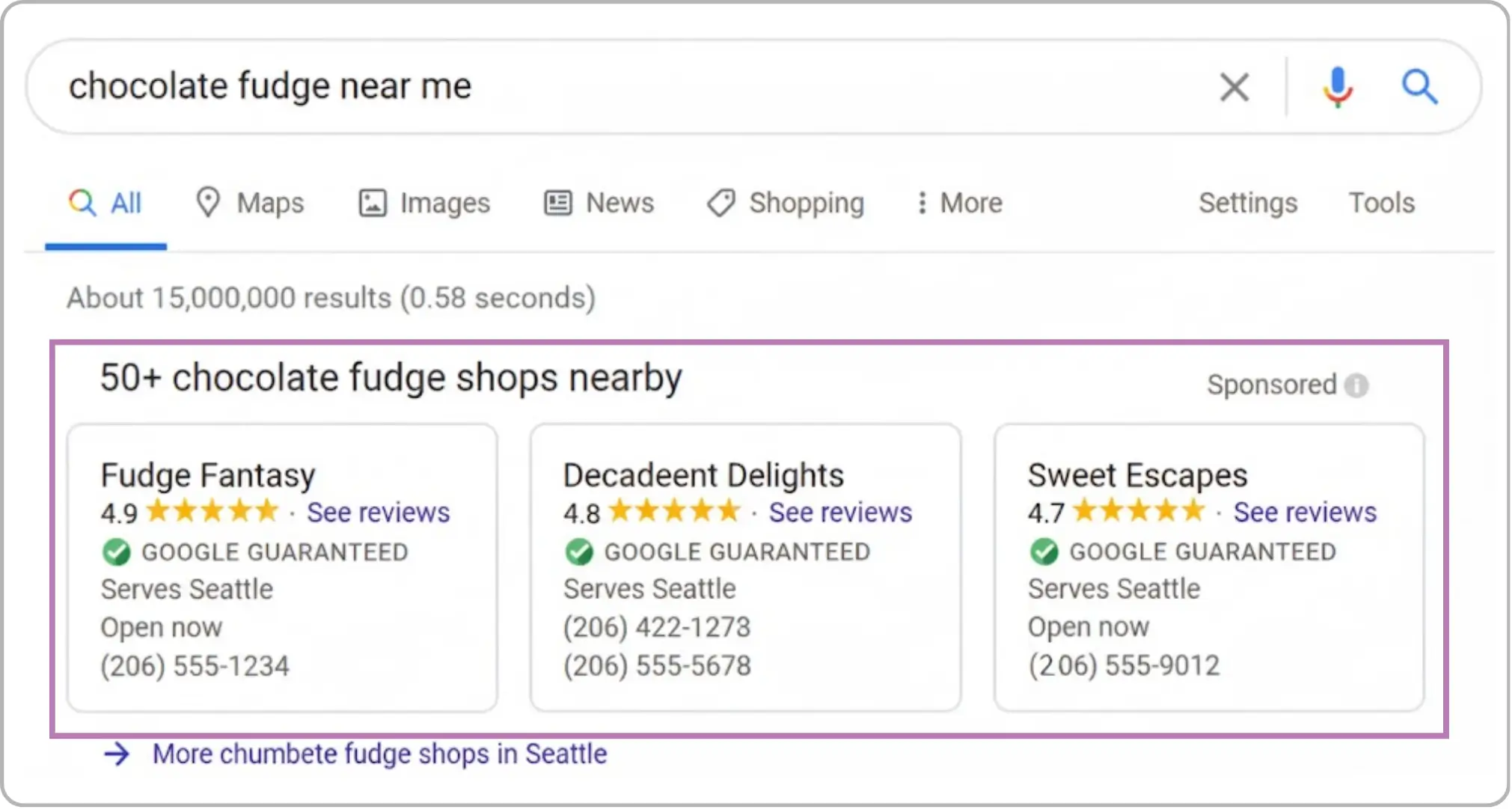
Local Services Ads help attract customers by highlighting key details like your services, service area, hours, and reviews—making it easier for people to choose you.



What Local Service Ads Do?
Unlike regular Google Ads, which charge per click, Local Service Ads charge per lead. This means that you only pay when someone who sees your ad gets in touch with you directly. This is a better value than paying for every click, especially for businesses that want high-quality leads.
How Local Businesses Benefit From Local Service Ads?
More people can see it: Local Service Ads show up at the top of Google Search results, above regular organic results and Google Ads. This prime location makes it more likely that people looking for services in your area will see you.
Faith and Trust: A Google Guarantee Badge on LSAs is a sign of trust that shows your business has been checked out and is safe to do business with. This can make it much more likely that people will click on your ad and get in touch with you because they trust your services.
Pay for Leads That Are Good: You only pay for leads with LSAs, not clicks. This way, you only pay for real inquiries from potential customers instead of wasting money on clicks that don't lead to real interactions. This makes LSAs a cheap choice for businesses that provide services in their area.
Better customer engagement: Customers can easily get in touch with you through LSAs by either calling your business or filling out an inquiry form. This direct link can speed up responses and conversions.
Advertising to specific people in your area: LSAs are made for businesses that serve local customers, so they are great for small to medium-sized businesses in fields like home services, healthcare, law, and more. The ads are based on where you are, so you can be sure that you're reaching people who need your services where you are.

How to Start Using Local Service Ads?
It's easy to get started with Local Service Ads, but there are a few important steps you need to take:
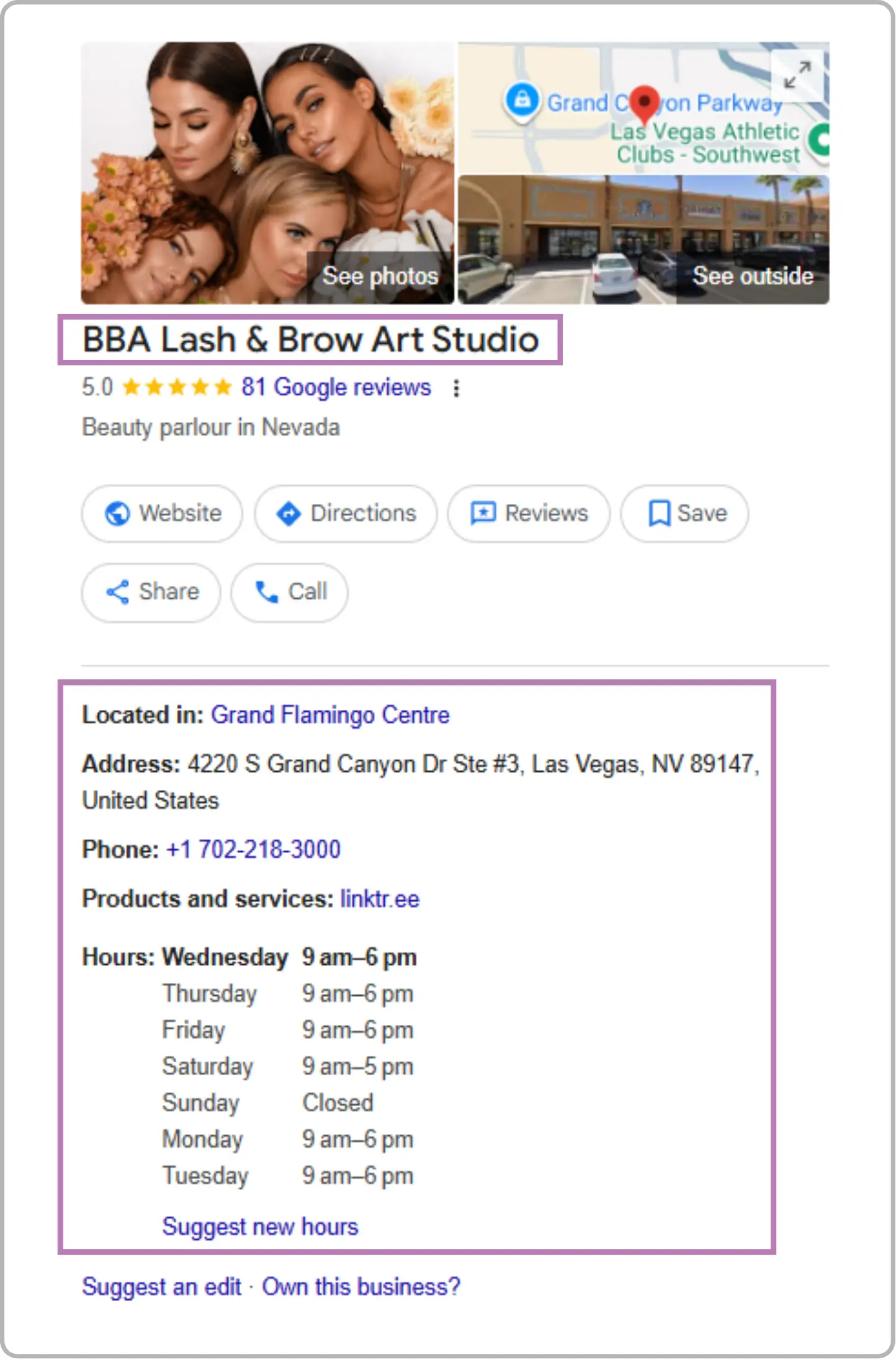
Make your Google Local Services profile: To sign up for LSAs, you need to have a Google My Business account. After that, make your profile and give information about your business, such as the services you offer, the area you cover, and any licenses or certifications you have that are relevant.
Verification: Google will need you to go through a verification process. This could include checking the backgrounds of employees, licenses, and insurance, depending on the industry.
Make Your Ad: When people in your area search for the services you offer, your ad will show up in Google's Local Service section once it has been verified. You can include your business name, contact information, customer reviews, and a call to action (CTA). Make your ad fit your brand and make it easy for people to get in touch with you.
Manage Your Leads: After your LSA is up and running, Google will start sending you leads directly. Quickly handle these leads to keep your response rate high, which is necessary to keep your Google Guarantee.
Key LSAs details include:
Business Name, Service Area, and Phone Number.
Customer Reviews (not required, but very helpful)
Hours of Operation
Status of License and Insurance (for some industries)
LSAs place local businesses in front of people actively searching for your services.
LSA vs. Google Ads
Feature | Header 2 | Local Services Ads (LSA) |
|---|---|---|
Ad Type | Pay-per-lead ads for local businesses | Pay-per-click (PPC) ads for all types of businesses |
Placement | Appear at the very top of Google search resultsCell 2-2 | Appear below LSAs and sometimes on partner sites |
Cost Model | Pay only when a customer contacts you (per lead) | Pay each time someone clicks your ad |
Targeting | Based on location, services offered, and proximity | Based on keywords, audience, demographics, and interests |
Verification | Requires Google screening and background checks | No verification required to run ads |
Ad Content | Shows business name, reviews, hours, and phone number | Customizable text, headlines, descriptions, and landing pages |
Lead Management | Leads appear directly in the LSA dashboard or app | Clicks drive users to your website or landing page |
Industries Supported | Limited to service-based local businesses | Available for nearly all industries |
Performance Tracking | Tracks leads and bookings directly from the ad | Tracks clicks, conversions, and other engagement metrics |
Ideal For | Local businesses wanting direct customer calls or bookings | Businesses seeking website traffic, conversions, or brand awareness |
Both Local Services Ads and Google Ads can drive valuable results, but the right choice depends on your business goals. If you’re a local service provider looking for direct leads and calls, LSAs are ideal. For broader reach, website traffic, and conversion-focused campaigns, Google Ads offers more flexibility and control.
Final Thoughts
Local Service Ads are a great way for local businesses to get more exposure, connect with customers, and get high-quality leads. You can build trust with potential clients by putting your services at the top of Google search results with a Google Guarantee Badge. You only pay for real inquiries.
Frequently Asked Questions (FAQs)
What information is required to create an LSA profile?

Key information includes your business name, phone number, service area, hours of operation, licenses or certifications (if applicable), and optionally customer reviews. Providing complete details improves visibility and trust.
How do LSAs charge businesses?
LSAs operate on a pay-per-lead model. You only pay when a potential customer calls or submits an inquiry form through the ad. This ensures your advertising budget goes toward actual, qualified leads rather than general clicks.
How do LSAs complement Local SEO strategies?
LSAs enhance local visibility and engagement, providing high-intent leads that support broader local SEO efforts. By driving traffic and conversions while signaling credibility, LSAs strengthen your overall local marketing presence.
Do LSAs require a Google Business Profile?
Yes. A Google Business Profile (GBP) is necessary to create an LSA. Google uses information from your GBP, such as business hours, services, and reviews, to populate your LSA listing accurately.
How do LSAs improve local SEO?
LSAs increase visibility in local search results, helping businesses appear above competitors. They drive high-quality traffic and engagement, which can improve your overall online presence and indirectly boost organic local rankings.
What is the Google Guarantee Badge?
The Google Guarantee Badge is a trust indicator that appears on LSAs. It shows that Google has verified your business, conducted background checks, and confirmed licenses and insurance (where required). This badge reassures potential customers that your business is credible and reliable.
How often should an LSA profile be updated?
Profiles should be updated whenever there are changes in business hours, services, phone numbers, locations, or licenses. Regular updates keep your ad accurate and maintain lead quality.



4.9/5 Ratings!

Share this article